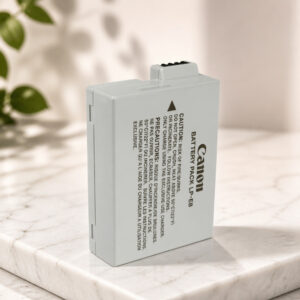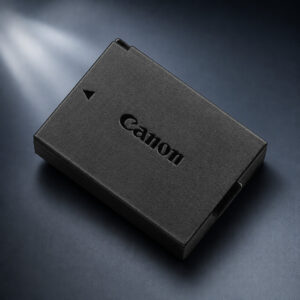
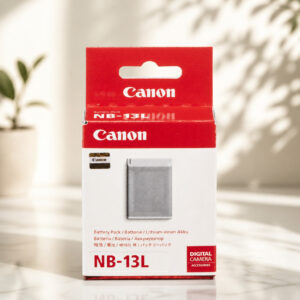
Canon Battery Pack NB-13L 3.6V 1250mAh
The Canon NB-13L is a rechargeable lithium-ion battery pack for selected PowerShot cameras. It is rated 3.6V, 1250mAh and 4.5Wh, weighs about 22 g, and swaps in through the camera’s battery compartment with no tools.
This page contains affiliate links. We may earn a commission if you buy through them, at no extra cost to you.
Will This Battery Work in Your Camera?
The NB-13L fits specific PowerShot models, not every Canon camera. Canon lists the G1 X Mark III, G5 X, G5 X Mark II, G7 X, G7 X Mark II, G7 X Mark III, G9 X, G9 X Mark II, SX620 HS, SX720 HS, SX730 HS and SX740 HS. Run this quick check before you buy.
Canon states that the camera shows a “Battery communication error” message when a non-genuine battery pack is used. Canon also recommends genuine Canon accessories. Confirm that your pack is a genuine Canon NB-13L before you rely on it.
Canon NB-13L Specifications
| Property | Detail |
|---|---|
| Brand / model | Canon Battery Pack NB-13L (product code 9839B001) |
| Type | Rechargeable lithium-ion battery pack |
| Nominal voltage | 3.6 V DC |
| Nominal capacity | 1250 mAh |
| Energy rating | 4.5 Wh |
| Dimensions | Approx. 29.6 × 42.0 × 9.5 mm |
| Weight | Approx. 22 g |
| Battery operating temperature | 0°C to 40°C (32°F to 104°F) |
| Charging cycles | Approx. 300 times (Canon’s approximate figure) |
| Dedicated Canon chargers | CB-2LH, CB-2LHE |
| Charger input | 100–240 V AC, 50/60 Hz |
| Charger rated output | 4.2 V DC, 0.7 A |
| Charging time (dedicated charger) | Approx. 2 hr 10 min |
| Charger lamp | Orange while charging, green when complete |
| Charger operating temperature | 5°C to 40°C (41°F to 104°F) |
| Storage guidance | 50% charge or less, dry place (45–85% humidity), −20°C to 40°C (Canon safety data sheet) |
| Standalone pack contents | One battery pack (charger not listed) |
Charger figures belong to the CB-2LH/CB-2LHE, not to the battery. Do not charge the battery continuously for more than 24 hours. Specifications are nominal Canon values and may differ by region and camera model.
NB-13L Battery Replacement Difficulty
This is an easy job. The battery sits behind a cover and is held by a lock, so you need no tools, no soldering and no camera disassembly. The part that takes the most care is choosing the right battery for your model, which is why the biggest slice sits there. Tap a slice to highlight it.
- 15% Opening the compartment
- 20% Swapping the battery
- 40% Choosing a compatible battery
- 25% Seating it & checking power
The difficulty score and effort split are an editorial estimate based on Canon’s battery compartment procedure, not an official Canon rating. A swollen or jammed battery changes the picture: stop and contact Canon.
How to Replace Your NB-13L Battery
Tap each step to tick it off as you go. Switch directions and terminal positions vary by model. Follow the diagram in your camera manual.
- 1Power down the cameraWait until the indicator stops blinking green, then switch the camera off.
- 2Open the coverSlide the cover switch in the direction shown on your camera and open the battery and memory card cover.
- 3Release and remove the old batteryPress the battery lock in the direction of the arrow. The pack pops up, and you can lift it out.
- 4Insert the new NB-13LHold the battery with its terminals facing as shown in your manual, press the lock in the direction of the arrow and push the pack in until the lock clicks shut.
- 5Close the cover and power onLower the cover and hold it down as you slide the switch until it clicks closed. Then turn the camera on and check the battery status.
Take the battery out and recheck its orientation. Canon says a pack inserted the wrong way cannot lock into position, meaning you should never force it. If the pack is swollen or stuck, stop and contact Canon.
Cameras That Use the NB-13L
Canon lists these 12 PowerShot models for the NB-13L:
- PowerShot G1 X Mark IIIG1 X series
- PowerShot G5 XG5 X series
- PowerShot G5 X Mark IIG5 X series
- PowerShot G7 XG7 X series
- PowerShot G7 X Mark IIG7 X series
- PowerShot G7 X Mark IIIG7 X series
- PowerShot G9 XG9 X series
- PowerShot G9 X Mark IIG9 X series
- PowerShot SX620 HSSX series
- PowerShot SX720 HSSX series
- PowerShot SX730 HSSX series
- PowerShot SX740 HSSX series
Safety, Storage & Disposal
Stop using and charging a swollen or damaged battery, and do not force it into or out of the camera. The US EPA lists swelling as a sign of damage that can come before a lithium battery fire. Contact Canon for guidance and use a collection point that accepts damaged lithium-ion batteries.
- Never open, solder or take the battery apart.
- Keep the contacts away from metal objects and heat.
- Charge with the Canon charger or the adapter listed for your camera.
- Cover the terminals with tape or bag each battery, then use a battery collection point.
Canon NB-13L: FAQ
Which cameras use the Canon NB-13L?
Canon lists 12 PowerShot models: G1 X Mark III, G5 X, G5 X Mark II, G7 X, G7 X Mark II, G7 X Mark III, G9 X, G9 X Mark II, SX620 HS, SX720 HS, SX730 HS and SX740 HS.
Is the NB-13L rechargeable?
Yes. It is a rechargeable lithium-ion battery pack rated 3.6V, 1250mAh and 4.5Wh.
How long does the NB-13L take to charge?
About 2 hours 10 minutes with the Canon CB-2LH or CB-2LHE charger. In-camera charging times depend on the camera and adapter. For example, Canon lists about 110 minutes for the PowerShot G7 X Mark III with the PD-E1 USB Power Adapter, and the time varies with remaining charge.
How many shots does one charge give?
It depends on the camera and settings. Canon rates the PowerShot G7 X Mark III at about 235 shots with the screen on and about 320 shots in ECO mode.
Does the NB-13L come with a charger?
Canon’s standalone NB-13L listing contains one battery pack. Bundles from other retailers can differ, so check the contents of your offer.
What does the Battery communication error message mean?
Canon states that this message appears when a non-genuine battery pack is used, and the camera asks for a user response. Confirm that your pack is a genuine Canon NB-13L.
How should I dispose of a used NB-13L?
Do not put it in household trash or curbside recycling. Cover the terminals with tape or bag each battery individually, then take it to a battery collection point or household hazardous-waste service.