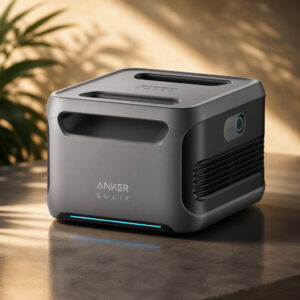
Anker SOLIX F3800 Expansion Battery (BP3800)
The Anker SOLIX BP3800 is a 3,840Wh LiFePO4 expansion battery for the F3800 and F3800 Plus power stations. It cannot run alone. You link it to the host with the included cable, and it adds 3.84kWh of rated storage.
This page contains affiliate links. We may earn a commission if you buy through them, at no extra cost to you.
Will This Battery Work With Your Power Station?
The BP3800 only connects to a compatible Anker host. Anker does not list any other power station or brand as compatible. Run this quick check before you buy.
An older Anker support article says the BP3800 is for the F3800 only. Anker’s F3800 Plus manual and F3800 Plus product pages both list the BP3800 as compatible. The BP3800 is an add-on for a host, not a replacement for a power station’s internal battery.
Anker SOLIX BP3800 Specifications
| Property | Detail |
|---|---|
| Product name | Anker SOLIX BP3800 Expansion Battery |
| User guide number | A1790111-85 |
| Type | External expansion battery (cannot run alone) |
| Compatible hosts | Anker SOLIX F3800 and F3800 Plus |
| Chemistry | Lithium iron phosphate (LiFePO4 / LFP) |
| Rated capacity | 3,840 Wh (3.84 kWh) |
| Cell capacity (Anker label) | 51.2 Vdc, 75 Ah / 3,840 Wh |
| Expansion port input | 75 A max |
| Expansion port output | 170 A max |
| Expansion ports | 2 (same function, host or battery link) |
| Dimensions | 393 × 355 × 262 mm (15.5 × 14.0 × 10.3 in) |
| Net weight | 33 kg (Anker lists 72 lb) |
| Charging temperature | 0°C to 40°C (32°F to 104°F) |
| Discharging temperature | −20°C to 40°C (−4°F to 104°F) |
| Storage temperature | 0°C to 40°C (per BP3800 safety booklet) |
| Controls / indicators | On/off button and LED light-wheel |
| Max per host | 6 batteries (26,880 Wh total with the host) |
| Cycle life claim | 3,000 life cycles (manufacturer claim) |
| Lifespan claim | 10 years (manufacturer claim) |
| Warranty | Varies by region, check Anker’s terms where you buy |
| In the box | BP3800 battery, battery-to-host cable, safety manual |
Capacity is rated battery energy, not a measured amount of AC power delivered to your devices. Cycle life and lifespan are manufacturer claims, not independent test results.
BP3800 Replacement Difficulty
Swapping a whole external BP3800 is easy on the technical side. It is a cable job, and Anker’s documented steps never open the case. The hard part is the 33kg weight. Replacing cells inside the battery is not a user job. Tap a slice to highlight it.
- 35% Lifting the 33kg unit
- 25% Shutdown order & reconnecting
- 20% Cable connection
- 20% Checking detection on the host
Anker’s safety instructions say not to disassemble the battery and to use a qualified service person for repairs. We found no official do-it-yourself procedure for opening a BP3800.
Difficulty score and effort split are an editorial estimate based on Anker’s documented connection steps and the published weight, not an official rating.
How to Replace Your External BP3800
Keep the new battery on a flat, stable surface. Tap each step to tick it off as you go.
- 1Turn off the old BP3800If the system is running, hold the on/off button on the battery for two seconds.
- 2Unplug the old batteryHold the black part of the cable and pull it straight out.
- 3Turn off the power stationPress the main power button on the F3800 or F3800 Plus before you connect the new battery.
- 4Connect the new BP3800Plug the cable into the power station with the Anker SOLIX logo facing up. Connect the other end to either port on the BP3800.
- 5Power on and checkTurn the system on. You should hear a beep and see an expansion battery icon on the host screen. The number after “×” shows how many batteries are connected. For first use, recharge through the host AC or DC input.
Check that the F3800 runs the latest firmware, then disconnect and reconnect the BP3800. If you have two or more expansion batteries, try another cable. If the problem stays, contact Anker support and tell them what you tried.
What Works With the BP3800?
The BP3800 does not power devices directly. Your devices connect to the host power station, and the BP3800 supplies extra stored energy behind it.
- Anker SOLIX F3800Direct host
- Anker SOLIX F3800 PlusDirect host
- Another BP3800Chain via the spare port, up to 6 per host
- Home Power PanelSystem part used with the host
- Double Power HubLinks two hosts, equal batteries on each
- Home backupVia the host outputs
- RV powerVia the host outputs
- Solar chargingVia the host solar inputs
- EV chargingVia the host outputs
Safety, Storage & Handling
Do not disassemble the BP3800 or use it with a damaged battery, plug or cable. Keep it away from rain and snow. Anker’s booklet also states it is not permitted on aircraft.
- Keep it flat and dry at 0°C to 40°C during use, charging and storage.
- Charge to 100% after use, then recharge to 100% every three months in storage.
- Avoid long direct sunlight, such as a hot vehicle or truck bed.
- Hold the black part of the cable when unplugging, and lift the 33kg (72lb) unit with care.
Anker SOLIX F3800 Expansion Battery: FAQ
What is the Anker SOLIX F3800 expansion battery?
Its official name is the Anker SOLIX BP3800 Expansion Battery. It is a 3,840Wh LiFePO4 battery rated at 51.2V and 75Ah that adds storage to a compatible Anker SOLIX F3800 or F3800 Plus power station.
Does the BP3800 work with the F3800 Plus?
Yes. Anker’s F3800 Plus manual and F3800 Plus product pages both list the BP3800 as compatible. An older Anker support article says F3800 only. Follow the F3800 Plus manual and Anker’s current product pages instead.
Can I use the BP3800 on its own?
No. Anker says the expansion battery cannot be used by itself. It must connect to a compatible power station for charging and discharging.
How many BP3800 batteries can I connect?
Up to six per F3800 or F3800 Plus. With six connected, the total rated battery capacity is 26,880Wh, including the host’s own 3,840Wh.
Does a BP3800 raise the AC output of my power station?
No. It adds battery capacity, not an inverter. Extra batteries can raise charging power in some setups. Anker says generator charging of an F3800 Plus tops out at 3,300W alone and reaches up to 6,000W when expansion batteries are connected.
How do I check the BP3800 charge level?
Press the on/off button for one second. The LED light-wheel shows the remaining charge. Hold the same button for two seconds to turn the battery on or off.
Can I replace the cells inside a BP3800 myself?
Anker’s safety instructions say not to disassemble the product and to use a qualified service person for repairs. We found no official do-it-yourself procedure for internal cells.
How should I store the BP3800?
Keep it flat and dry at 0°C to 40°C. Anker’s booklet says to charge it to 100% after use and recharge it to 100% every three months during storage.
Is the BP3800 waterproof?
We found no verified IP rating from Anker. The safety instructions say to keep it away from rain, snow and humid places.
How long does the BP3800 last?
Anker advertises 3,000 life cycles and a 10-year lifespan for the BP3800. These are manufacturer claims, not independent test results. Warranty terms vary by region. Check Anker’s terms where you buy.