2017 Hyundai Elantra Key Fob Battery Replacement
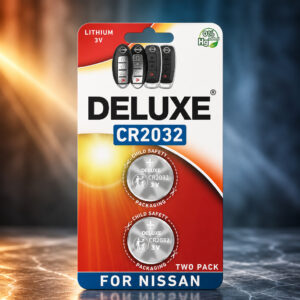
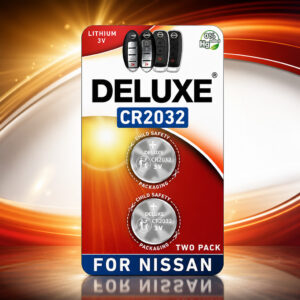
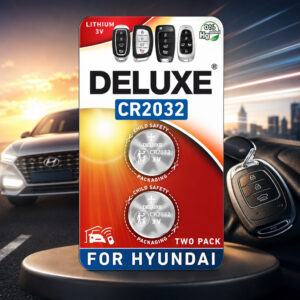
The 2017 Hyundai Elantra owner’s manual lists a CR2032 3V coin battery for both the remote key and the smart key. The Deluxe CR2032 pack has two single-use cells: one for the fob and one spare.
This page contains affiliate links. We may earn a commission if you buy through them, at no extra cost to you.
Will This Battery Work in Your Elantra Key?
Hyundai’s manual names the CR2032 as the battery type for the 2017 Elantra remote key and smart key. Run this quick check before you replace anything.
Fob housings can differ, especially if the shell has been replaced. If the battery in your fob is not a CR2032, check your own owner’s manual before you buy.
Deluxe CR2032 Specifications
| Property | Detail |
|---|---|
| Brand / model | Deluxe Batteries, Key Fob Replacement Batteries for Hyundai (CR2032) |
| Pack size | 2 batteries |
| Battery type | CR2032 coin cell |
| Chemistry | Lithium / manganese dioxide (Li/MnO₂), typical for CR2032 |
| Nominal voltage | 3 V |
| Dimensions (standard CR2032) | 20 mm diameter × 3.2 mm thick |
| Listed capacity | 225 mAh (product listing) |
| Rechargeable | No, single use |
| Intended use | Hyundai key fob battery replacement |
| Elantra manual battery type | CR2032 (remote key and smart key) |
| Not confirmed | Shelf life, operating temperature, discharge ratings, single-cell weight |
Capacity is the figure shown on the product listing, not an independent test result. The 20 × 3.2 mm size is the standard CR2032 size. Runtime in a key fob depends on the fob and how often you use it.
Elantra Key Fob Battery Replacement Difficulty
This is an easy job for most owners. The main risks are cracking the case while opening it and fitting the cell the wrong way round. Tap a slice to highlight it.
- 40% Opening the key case
- 30% Polarity & seating the cell
- 15% Closing & testing
- 15% Buying the right cell
Difficulty score and effort split are an editorial estimate based on Hyundai’s short open, replace and close procedure. They are not an official rating.
How to Replace Your Elantra Key Fob Battery
Tap each step to tick it off as you go. You only need a slim pry tool and one new CR2032.
- 1Identify your key typeCheck whether you have a remote key or a smart key. Hyundai lists a CR2032 for both.
- 2Open the rear coverOn a smart key, remove the mechanical key first. Then pry open the rear cover with a slim tool. Avoid forcing it, as the case can crack.
- 3Remove the old batteryCheck the polarity markings in the holder, then lift out the old CR2032. Keep it away from children and pets.
- 4Insert the new CR2032Place the new battery in the holder to match the polarity markings. Make sure it sits fully in place.
- 5Close the cover and testSnap the cover back on, then test the lock, unlock and trunk buttons.
Check that the battery is a CR2032, that it faces the right way, and that it sits fully in the holder. Make sure the case is closed properly. If the fob still fails or looks damaged, Hyundai recommends contacting an authorized dealer. A routine battery change in a working fob normally needs no reprogramming.
The Elantra owner’s manual describes an emergency start method for the smart key. Press the Engine Start/Stop button with the smart key, in the direction shown in the manual’s picture.
Other Devices That Use a CR2032
Battery makers list the CR2032 for many small electronics. Confirm the battery type in your device manual first.
- Car key fobsOnly if the fob lists CR2032
- Remote controlsCompact & card-style
- Digital scalesCheck your model
- WatchesCheck your model
- Toys & gamesSmall electronic games
- Memory backupCheck the device manual
- Glucose monitorsFollow your manual
- Heart-rate monitorsCheck your model
- Alarm sensorsCheck your model
- Security tagsPrice & transmitter tags
Safety, Storage & Disposal
A swallowed lithium coin battery can cause serious injury or death in as little as two hours. Keep new and used cells away from children. Get emergency medical help immediately if you suspect ingestion.
- Never recharge, crush, open, short-circuit or burn it.
- Store spare cells dry, away from heat and out of reach of children.
- Keep used cells out of household trash and recycling bins.
- Tape the terminals or bag each cell, then use a battery collection point.
2017 Elantra Key Fob Battery: FAQ
What battery does a 2017 Hyundai Elantra key fob use?
The 2017 Hyundai Elantra owner’s manual lists a CR2032 3V coin battery for both the remote key and the smart key.
Do I need to reprogram the key fob after changing the battery?
A routine battery change in a fob that already works normally does not need reprogramming. Hyundai’s battery procedure has no programming step.
Which way does the battery go in the fob?
Follow the polarity markings inside your fob. Check them before you remove the old battery, because the facing direction can differ between fob designs.
How many batteries does the key fob need?
One. The Deluxe pack contains two CR2032 batteries, which leaves the second as a spare.
Is the Deluxe CR2032 rechargeable?
No. It is listed as a single-use CR2032 battery and must never be recharged.
Can I use a CR2025 or another coin battery instead?
No. Hyundai lists the CR2032; stick to that type.
Can I still start the car if the smart key battery is weak?
The Elantra owner’s manual describes an emergency start method for the smart key: press the Engine Start/Stop button with the smart key, in the direction shown in the manual’s picture.
How should I dispose of a used CR2032?
Do not put it in household trash or recycling bins. Tape the terminals or bag each cell individually and take it to a battery collection or hazardous-waste service. Keep used cells away from children.