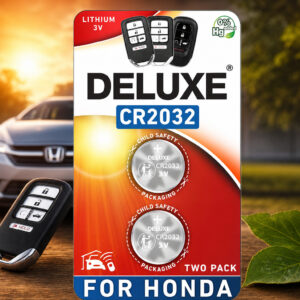
Honda CR-V Key Fob Battery: Deluxe CR2032 3V
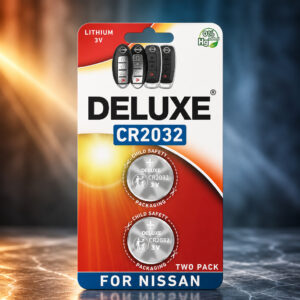
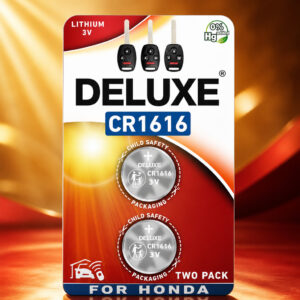
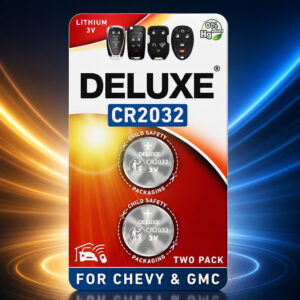
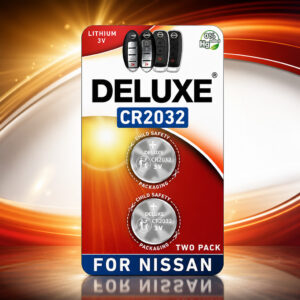
Most Honda CR-V smart key fobs use a single CR2032 3V lithium coin cell. Honda specifies a CR2032 for the 2024 CR-V remote, though older remote designs may take a CR1616 or CR1620 instead.
This page contains affiliate links. We may earn a commission if you buy through them, at no extra cost to you.
Will This Battery Work in Your CR-V Fob?
A CR-V model year alone does not tell you the battery type. Run this quick check before you buy.
Not every CR-V uses a CR2032. Honda’s 2006 and 2011 CR-V manuals list a CR1616, and some other remote designs use a CR1620. The Amazon listing also says this pack is not for standard Honda keys with the key blade sticking out of the fob.
Deluxe CR2032 Specifications
| Property | Detail |
|---|---|
| Brand / pack | Deluxe Batteries, 2-pack (Amazon ASIN B0D5BH7XVL) |
| Battery type | CR2032 coin cell |
| Chemistry (CR2032 type) | Lithium / manganese dioxide (Li/MnO₂), non-rechargeable |
| Nominal voltage | 3 V |
| Dimensions (standard CR2032) | 20 mm diameter × 3.2 mm thick |
| Listed capacity | 225 mAh (stated on the Amazon listing, not independently tested) |
| Reference weight | About 2.8 g (Panasonic) to 3.0 g (Energizer) for a CR2032 |
| Reference temperature range | −30°C to +60°C (Energizer) or +85°C (Panasonic) for a CR2032 |
| Reference self-discharge | About 1% per year (Energizer CR2032 datasheet) |
| Reference storage life | 10 to 12 years at normal room temperature (Energizer lithium coin cells) |
| Honda remote battery life | About 2 years, depending on use (Honda owner’s manual) |
| Included in the pack | 2 batteries. The key fob is not included. |
| Not found for Deluxe | Cell maker, certifications, shelf life, temperature limits |
Rows marked “reference” come from Panasonic and Energizer CR2032 documents, not from Deluxe. Capacity depends on load, temperature and cutoff voltage, and Honda says remote battery life varies with use.
CR-V Key Fob Battery Replacement Difficulty
This is an easy do-it-yourself job for a CR2032 smart remote. Honda’s documented procedure uses the built-in key and a small flat-tip screwdriver, with a cloth to prevent scratches, and it has no programming step. The hardest part is confirming that your remote really takes a CR2032. Tap a slice to highlight it.
- 25% Opening the fob case
- 20% Swapping the cell & polarity
- 40% Choosing the correct battery
- 15% Testing the fob
The difficulty score and effort split are an editorial estimate based on Honda’s documented steps, not an official Honda rating. Older remotes with a small case screw take a little more care.
How to Replace Your CR-V Key Fob Battery
These steps follow Honda’s 2024 CR-V owner’s manual. Check your own manual if your remote looks different. Tap each step to tick it off as you go.
- 1Remove the key and open the coverPull out the built-in key. Wrap the key grip in a cloth, pry at the slot and lift off the upper half of the cover. Keep the buttons in place.
- 2Remove the old batteryWrap a small flat-tip screwdriver in a cloth and carefully pry the old CR2032 out from its edge. Keep it away from children.
- 3Insert the new CR2032Install the new battery with the correct polarity. Match the orientation of the old one, or check the markings in the fob.
- 4Close the fob and test itSnap the cover halves together and push the built-in key back in until it clicks. Press lock and unlock to confirm it works.
Check the battery type, the polarity and that the cover is fully closed. Honda says keys that do not work properly should be inspected by a dealer.
Other Devices That Use a CR2032
The CR2032 is a standard coin cell size. Panasonic lists remote keyless entry, card remote controls, memory backup, security price tags and smart transmitter tags among the uses for its CR coin cells. Confirm the battery type in your device manual first.
- Honda CR-V remote2023–2026 manuals list CR2032
- Honda CR-V Hybrid remote2024–2025 manuals list CR2032
- Honda Pilot remote2026 manual lists CR2032
- Honda Civic Hatchback remote2026 manual lists CR2032
- Apple AirTagCheck the coating notes
- Security price tagsListed by Panasonic
- Smart transmitter tagsListed by Panasonic
- Other car key fobsIf your manual lists CR2032
- Card remote controlsListed by Panasonic
- Memory backupListed by Panasonic
Apple specifies a CR2032 for AirTag and warns that some bitterant-coated CR2032 batteries may not work. Deluxe has not been confirmed for AirTag use.
Safety, Storage & Disposal
Honda warns that a swallowed remote battery can cause severe internal burns or death. Energizer says serious injury can happen in as little as two hours. Keep new and used cells away from children, and get emergency medical help immediately if you suspect ingestion.
- Never recharge, crush, open, short-circuit or burn it.
- Keep spare cells in their original pack and out of children’s reach.
- Keep used cells out of household trash and recycling bins.
- Tape terminals or bag each cell, then use a battery collection point.
Honda CR-V Key Fob Battery: FAQ
What battery does a Honda CR-V key fob use?
Honda lists a CR2032 for the 2024 CR-V remote. Other CR-V remote designs can use a CR1616 or CR1620, so check your owner’s manual or the code on the old battery.
Does the Deluxe CR2032 fit every Honda CR-V?
No. It fits remotes that call for a CR2032. The listing also says it is not for standard Honda keys with the key blade sticking out of the fob.
Do I install both batteries in the pack?
No. The pack holds two cells, and the documented CR-V remote takes one. Keep the second as a spare.
Is the CR2032 rechargeable?
No. A standard CR2032 is a single-use lithium/manganese dioxide coin cell and must never be recharged.
How long does a key fob battery last?
Honda says remote battery life is about two years, depending on how often you use the remote. This is a Honda estimate, not a Deluxe test result.
Do I need to reprogram the fob after a battery change?
Honda’s documented 2024 CR-V procedure has no programming step. If the fob still fails, check the battery type and polarity, then ask a dealer to inspect it.
How should I dispose of a used CR2032?
Do not put it in household trash or recycling bins. Tape the terminals or bag each cell individually and take it to a battery collection or hazardous-waste service, following your local rules. Keep used cells away from children.