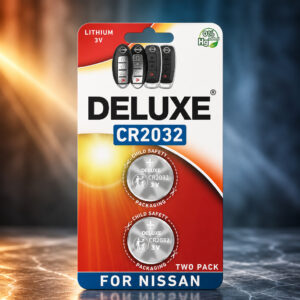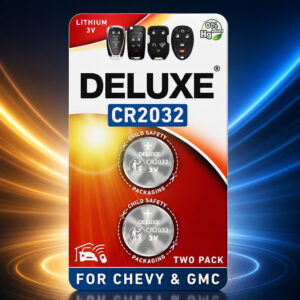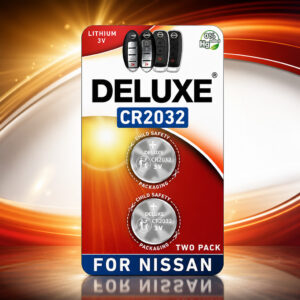
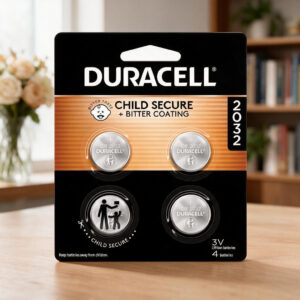
CR2032 Lithium 3V Coin Battery for AirTag
An Apple AirTag takes one CR2032 3V lithium coin battery, with the positive side facing up. The Duracell CR2032 is a non-rechargeable lithium/manganese dioxide cell used in small electronics. Apple advises checking the pack for AirTag compatibility.
This page contains affiliate links. We may earn a commission if you buy through them, at no extra cost to you.
Will This Battery Work in AirTag?
Apple recommends a bitterant-coated CR2032, like the Duracell 2032 Lithium Coin Battery with Bitter Coating, and says to look for packaging marked “Compatible with Apple AirTag”. Run this quick pack check before you buy.
Apple warns that some CR2032 batteries with bitterant coatings might not work with AirTag or other battery-powered products. Read the pack before you buy.
Duracell CR2032 Specifications
| Property | Detail |
|---|---|
| Brand / model | Duracell CR2032 (also sold as DL2032) |
| Chemistry | Lithium / manganese dioxide (Li/MnO₂), non-rechargeable |
| Nominal voltage | 3 V |
| Nominal size | 20 mm diameter × 3.2 mm thick |
| Typical weight | 2.8 g |
| Nominal capacity | 255 mAh (15 kΩ load, 2.0 V cutoff, Duracell datasheet variant) |
| Nominal energy | 745 mWh |
| Standard continuous discharge | 0.4 mA |
| Max continuous discharge | 3 mA |
| Max pulse discharge | 50 mA (1-second pulse) |
| AC impedance | 11 Ω at 1 kHz |
| Operating temperature | −30°C to +70°C |
| Recommended storage | 5°C to 30°C, humidity below 70% |
| Self-discharge | Under 1% after 1 year at 20°C |
| Storage life claim | 10-year storage guarantee (not in-device runtime) |
| Child-safety features | Bitter coating (front face per the cited datasheet) and child-resistant packaging |
| Standards referenced | IEC 60086-4, UN 38.3, REACH, ISO 9001 (per datasheet) |
Values come from one Duracell CR2032 datasheet. Duracell documents list other CR2032 versions with different capacities, for example 225 and 245 mAh, so figures on your pack may differ. Delivered capacity depends on load, temperature and cutoff voltage.
AirTag Battery Replacement Difficulty
Replacement is easy. Apple’s guide has five short steps and lists no tools. The harder part is choosing a compatible battery. Tap a slice to highlight it.
- 15% Opening the cover
- 15% Swapping the cell
- 45% Choosing a compatible battery
- 25% Seating & confirming the sound
The difficulty score and effort split are an editorial estimate based on Apple’s published steps, not an official rating.
How to Replace Your AirTag Battery
Tap each step to tick it off as you go.
- 1Open the coverPress down on the polished stainless steel cover and rotate it anticlockwise until it stops.
- 2Remove the old batteryTake off the cover and lift out the used CR2032. Keep it away from children.
- 3Insert the new CR2032Place the battery positive (+) side up. Listen for the sound that shows the battery has connected.
- 4Close the coverAlign the three cover tabs with the three slots, then rotate the cover clockwise until it stops.
Remove the battery and reinsert it positive side up. Check that the cover tabs line up with the slots. Then confirm the pack states AirTag compatibility, or try a fresh battery from a pack that does.
Other Devices That Use a CR2032
Duracell lists the CR2032 for many small electronics. Battery type varies by model. Confirm it in your device manual first.
- AirTag trackersApple AirTag
- Key fobsCheck your fob manual
- Fitness sensorse.g. Garmin Speed Sensor
- WatchesCheck your watch manual
- Remote controlsCheck your remote
- Weighing scalesCheck your manual
- CalculatorsCheck your manual
- ToysCheck the toy manual
- Glucose meterse.g. OneTouch Verio Flex
- Medical devicesCheck your manual
- Security devicesCheck your manual
- Wireless sensorsCheck your manual
Safety, Storage & Disposal
A swallowed button cell or coin battery can cause internal chemical burns in as little as 2 hours, and death or serious injury can occur. Bitter coating helps discourage swallowing but is not a guarantee. Get emergency medical help immediately if you suspect ingestion. In the US, call the battery ingestion hotline at 1-800-498-8666.
- Never recharge, short-circuit, crush, open or burn it.
- Store in a clean, cool, dry, ventilated place. Duracell’s datasheet advises 5°C to 30°C.
- US EPA guidance says not to put coin or single-use lithium batteries in the trash or municipal recycling bins.
- Tape terminals or bag each cell, then use a battery collection point.
CR2032 for AirTag: FAQ
What battery does an AirTag use?
An AirTag uses one CR2032 lithium 3V coin battery, installed with the positive side facing up.
How long does a CR2032 last in an AirTag?
Apple says an AirTag works for more than a year on a standard replaceable battery. Runtime in your own device can differ. Duracell’s 10-year figure is a storage guarantee, not a runtime in a device.
Is the Duracell CR2032 rechargeable?
No. It is a single-use lithium/manganese dioxide cell and must never be recharged. Do not swap in a rechargeable LIR2032.
Do all Duracell CR2032 batteries work in AirTag?
Not necessarily. Apple recommends a bitterant-coated CR2032 and says to look for packaging marked “Compatible with Apple AirTag”. Apple also warns that some coated CR2032 batteries may not work.
What if my AirTag does not play a sound after a battery change?
Remove the battery and reinsert it with the positive side up. Check that the cover tabs line up with the slots. Confirm the pack states AirTag compatibility, or try a fresh battery from a pack that does.
How should I dispose of a used CR2032?
US EPA guidance says not to put coin or single-use lithium batteries in the trash or municipal recycling bins. Tape the terminals or bag each cell, then use a battery collection or household hazardous-waste service. Keep used cells away from children.