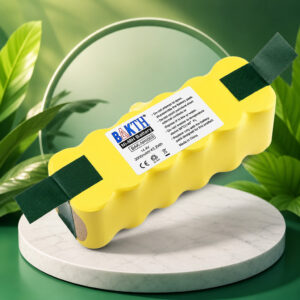
iRobot Roomba Battery 14.4V: BAKTH 3000mAh Ni-MH
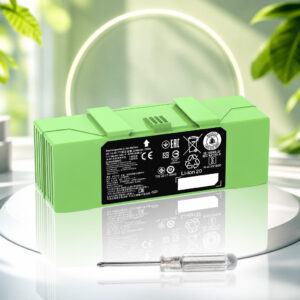
The BAKTH 14.4V 3000mAh is a rechargeable Ni-MH replacement battery advertised for selected legacy iRobot Roomba 500, 600, 700 and 800 series models. It measures 136 × 56.5 × 45.8 mm as listed, and on the models we checked, a screwdriver is the only tool you need.
This page contains affiliate links. We may earn a commission if you buy through them, at no extra cost to you.
Will This Battery Work in My Roomba?
Voltage alone does not prove a fit, because iRobot lists different battery types by robot model. Run this quick check before you buy.
This battery is not listed for Roomba 900, e, i, j or s series, Braava or Roomba Essential. iRobot lists separate batteries for those, and some share the same capacity yet are not interchangeable. Some 600 and 800 series robots shipped with lithium-ion packs. For those, iRobot’s chart marks a Ni-MH swap as possibly shorter-lasting. Check the chart for your exact model.
BAKTH 14.4V 3000mAh Specifications
| Property | Detail |
|---|---|
| Brand / product | BAKTH 14.4V 3000mAh Ni-MH battery for iRobot Roomba (Amazon ASIN B00VRM8958) |
| Listing model number | IROBOT3000-BKCA |
| Type | Aftermarket replacement battery (not an iRobot-branded battery) |
| Chemistry | Nickel-metal hydride (Ni-MH), rechargeable |
| Nominal voltage | 14.4 V (advertised) |
| Rated capacity | 3000 mAh / 3.0 Ah (advertised) |
| Nominal energy | 43.2 Wh (calculated: 14.4 V × 3.0 Ah) |
| Dimensions | 136 × 56.5 × 45.8 mm (as listed) |
| Weight | 1.5–1.6 lb (varies across Amazon pages) |
| Colour | Yellow |
| iRobot reference numbers | 80501 (yellow APS 3000mAh Ni-MH), 4419696 (X-Life 3000mAh Ni-MH) |
| Charging | Charged inside the Roomba, through its Home Base or power adapter |
| Protection features | Listing claims protection against incorrect voltage, short circuit and internal overheating (not independently verified) |
| Storage advice (listing) | Recharge every three months if unused for a long time |
| Runtime, cycle life, warranty | No independently verified figure found |
Values marked advertised or as listed come from the Amazon product pages and are not independent test results. The 43.2 Wh figure is calculated from the advertised voltage and capacity. Capacity is not runtime, which depends on the robot model and cleaning conditions.
Roomba Battery Replacement Difficulty
Replacement is rated easy in the iFixit guides we checked: about 1 to 2 minutes for the Roomba 770, 5 minutes for the 650 and 10 minutes for the 880. No soldering is needed. The main variable is access, since some models have a two-screw battery panel and others need the side brush and bottom panel removed. Tap a slice to highlight it.
- 25% Opening the battery access
- 15% Swapping the battery
- 40% Choosing a compatible battery
- 20% First charge & check
Difficulty score and effort split are an editorial estimate based on iFixit’s Roomba 650, 770 and 880 battery guides, not an official rating. Times exclude charging.
How to Replace Your Roomba Battery
Exact access differs by model. Tap each step to tick it off as you go.
- 1Prepare the robotTurn the Roomba off, take it off the Home Base and place it upside down on a stable surface.
- 2Open the battery accessOn models like the 770 and 880, remove the two screws on the battery panel. On the 650, remove the side brush and loosen the four bottom panel screws instead. Use a screwdriver that fits (Phillips or JIS, depending on model).
- 3Lift out the old batteryPull the old battery out using its two tabs. Note which way it sits.
- 4Fit the new batterySeat the BAKTH battery in the same orientation. If a pull tab or insulator is fitted, remove it.
- 5Refit the coverPut the panel back and tighten the screws. Refit the side brush if you removed it.
- 6Charge the robotPlace the Roomba on its Home Base. Legacy manuals suggest an overnight first charge, and a 16-hour refresh charge may start on its own.
Check that any pull tab is removed and the battery sits fully in its bay. Make sure the Home Base is plugged in and the Roomba is seated on it, with the Power and Docked lights on. A quickly pulsing amber light is the automatic 16-hour refresh charge, so leave it running.
Roomba Models This Battery Fits
These are the models named on the product’s Amazon pages, which differ slightly by region. No other device type is confirmed. Match your full model number before you order.
- Roomba 500500 series
- Roomba 510500 series
- Roomba 520500 series
- Roomba 521500 series
- Roomba 527500 series
- Roomba 530500 series
- Roomba 531500 series
- Roomba 532500 series
- Roomba 533500 series
- Roomba 534500 series
- Roomba 535500 series
- Roomba 536500 series
- Roomba 540500 series
- Roomba 545500 series
- Roomba 550500 series
- Roomba 552500 series
- Roomba 555500 series
- Roomba 560500 series
- Roomba 562500 series
- Roomba 564500 series
- Roomba 570500 series
- Roomba 580500 series
- Roomba 581500 series
- Roomba 582500 series
- Roomba 585500 series
- Roomba 595500 series
- Roomba 600600 series
- Roomba 610600 series
- Roomba 620600 series
- Roomba 630600 series
- Roomba 631600 series
- Roomba 650600 series
- Roomba 660600 series
- Roomba 700700 series
- Roomba 760700 series
- Roomba 761700 series
- Roomba 770700 series
- Roomba 775700 series
- Roomba 780700 series
- Roomba 790700 series
- Roomba 800800 series
- Roomba 870800 series
- Roomba 880800 series
Compatibility is based on the product listing and has not been fit-tested by us.
Safety, Storage & Disposal
If a battery leaks, avoid contact with the leaked material and the surfaces it touched. Wear protective gloves, wipe up any residue with a paper towel and seal the battery in a plastic bag. If it touches your skin or eyes, flush with water and seek medical attention.
- Use the battery only in a Roomba model it is listed for.
- For long-term storage, legacy iRobot manuals advise a full charge, then removal and a cool, dry place.
- Keep used batteries out of household trash and recycling bins.
- Bag each battery separately or tape its terminals, then use a battery collection point.
Roomba 14.4V Battery: FAQ
What battery does a Roomba 500, 600, 700 or 800 series use?
Many legacy models use a 3000mAh Ni-MH pack, such as the iRobot yellow APS (80501) or X-Life (4419696). Some 600 and 800 series robots shipped with lithium-ion packs. Check iRobot’s battery chart for your exact model.
Will any 14.4V battery fit my Roomba?
No. Voltage alone does not decide the fit. iRobot lists different battery designs by model, and some share the same capacity yet are not interchangeable.
How long does the BAKTH 3000mAh battery run on a charge?
No independently verified runtime was found for this battery. The 3000mAh figure is an advertised capacity rating, not a runtime guarantee.
Do I need a 16-hour charge after replacing the battery?
Not manually. Legacy Roomba models start a 16-hour refresh charge on their own when they sense a significantly discharged battery. A quickly pulsing amber light shows it. The cycle cannot be started by hand, and iRobot advises against interrupting it.
Does an aftermarket battery void my Roomba warranty?
iRobot’s support article states that parts not made by iRobot void the warranty. In the US, the Federal Trade Commission says companies cannot void a warranty solely because you used a third-party part, although they may refuse coverage for damage that part causes. Rules differ by country.
How should I dispose of the old Roomba battery?
Do not put it in household trash or recycling bins. Bag each battery separately or tape its terminals, then take it to a battery collection point or household hazardous-waste service.